Quay
One system for quotes, jobs and invoicing that replaced a legacy desktop program and four supporting tools at a Sydney service business.
- Client
- A Sydney service business
- My role
- Sole designer and developer
- Built with
- React, .NET, PostgreSQL, Azure
In short
- One system in place of a legacy desktop program and four supporting tools.
- A phone app for operators, on iOS and Android, that keeps working without signal.
- A two-way link with MYOB, so the job system and the accounts stay in step.
- SMS and email, with a record of what was delivered.
- A portal for the business's customers.
- Data moved across from the old SQL Server database and verified.
- Two AI features. One drafts a booking from a phone call for a person to approve; the other answers how-to questions from Quay's own guides.
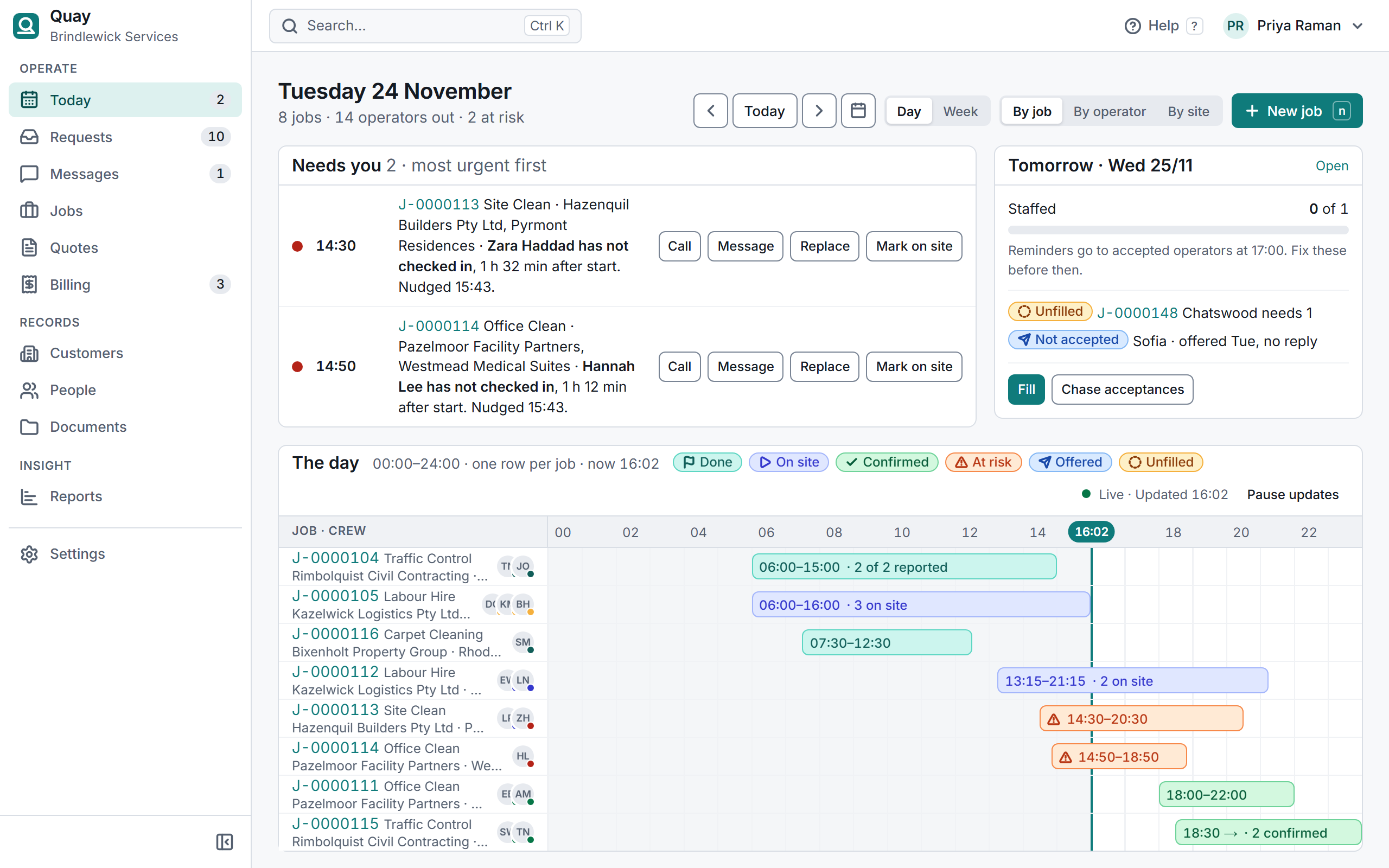
The screenshots on this page show Quay running on demo data for a made-up business. The one at the top is the office app’s Today board: the day’s jobs on a timeline, with the ones that need attention first.
The problem
The business ran on a legacy desktop system, with four supporting tools around it.
What I built
I designed and built Quay alone. It has six parts.
The office web app
For quotes, jobs and invoicing.
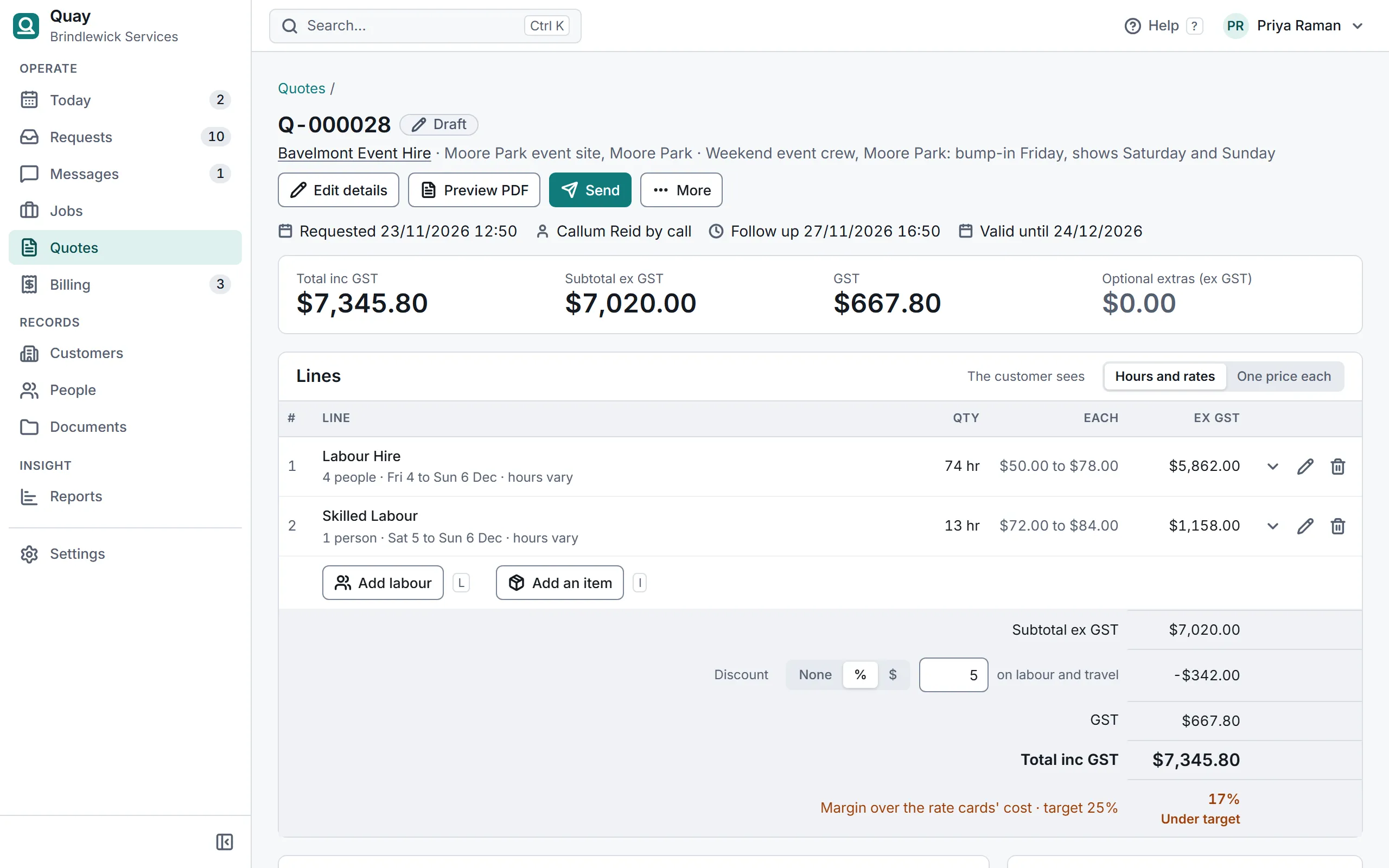
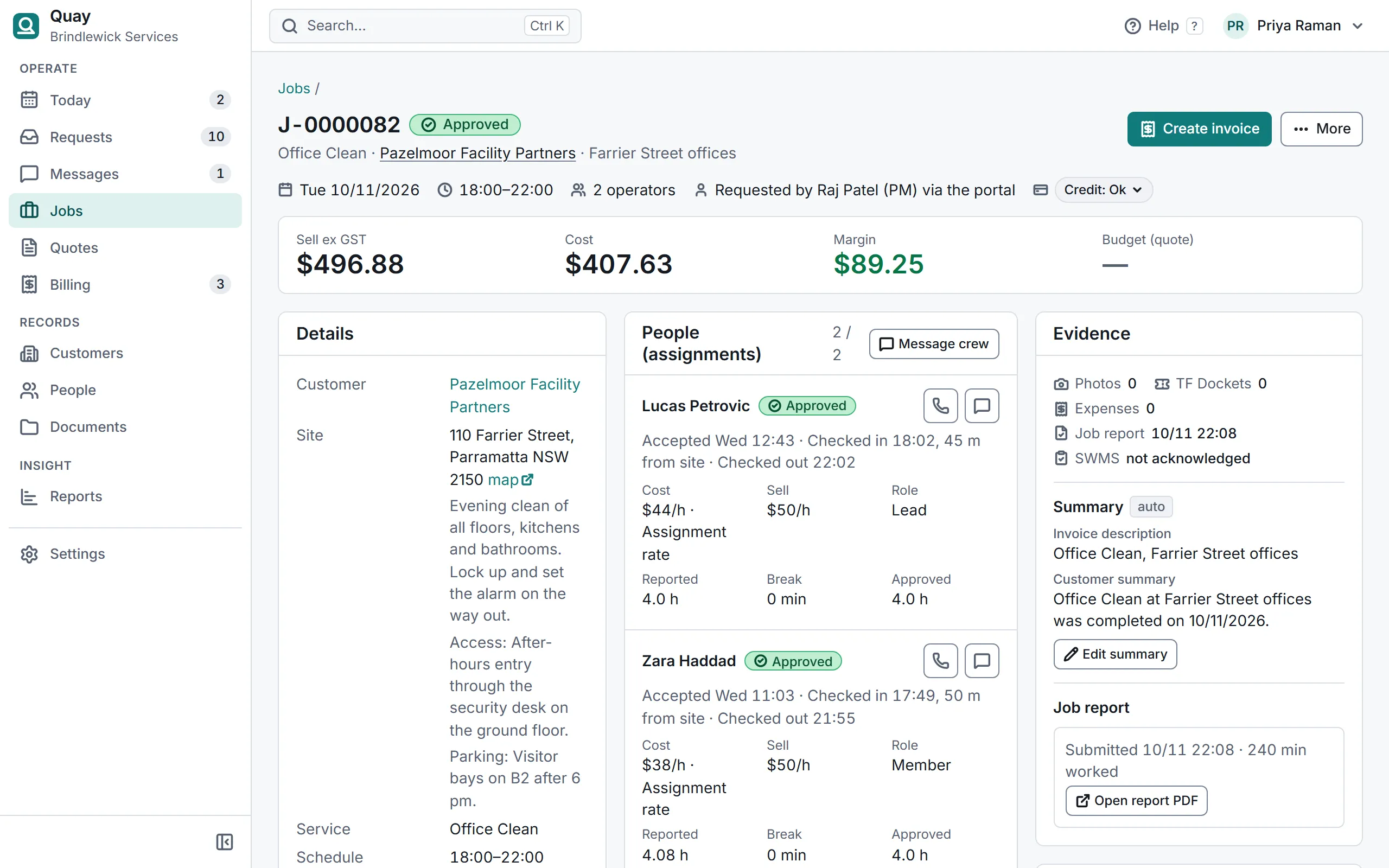
The first screen is a draft quote: labour lines, a discount, GST, and the margin measured against its target. The second is one job: what it sells for and costs, the site, the operators with their check-in times and approved hours, and the job report’s summary line.
The phone app
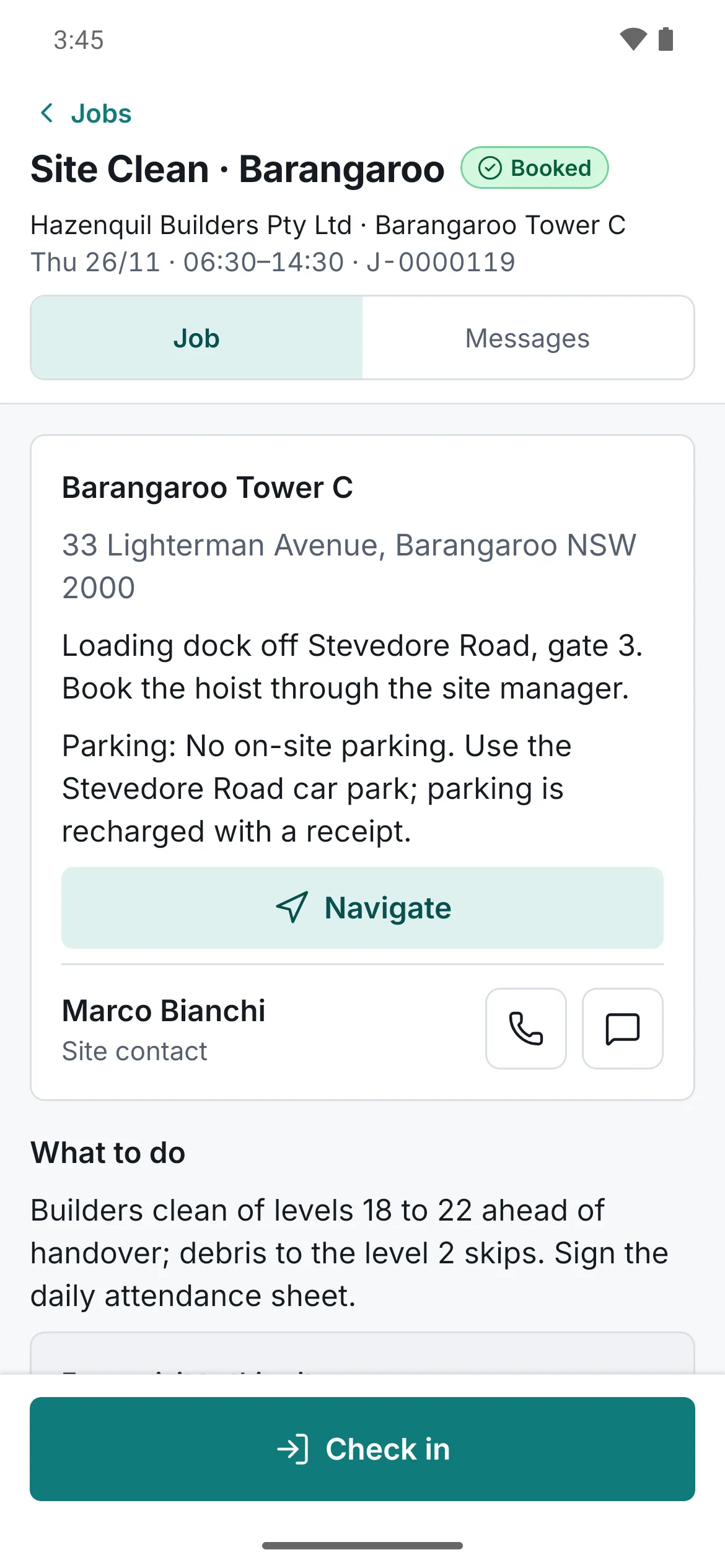
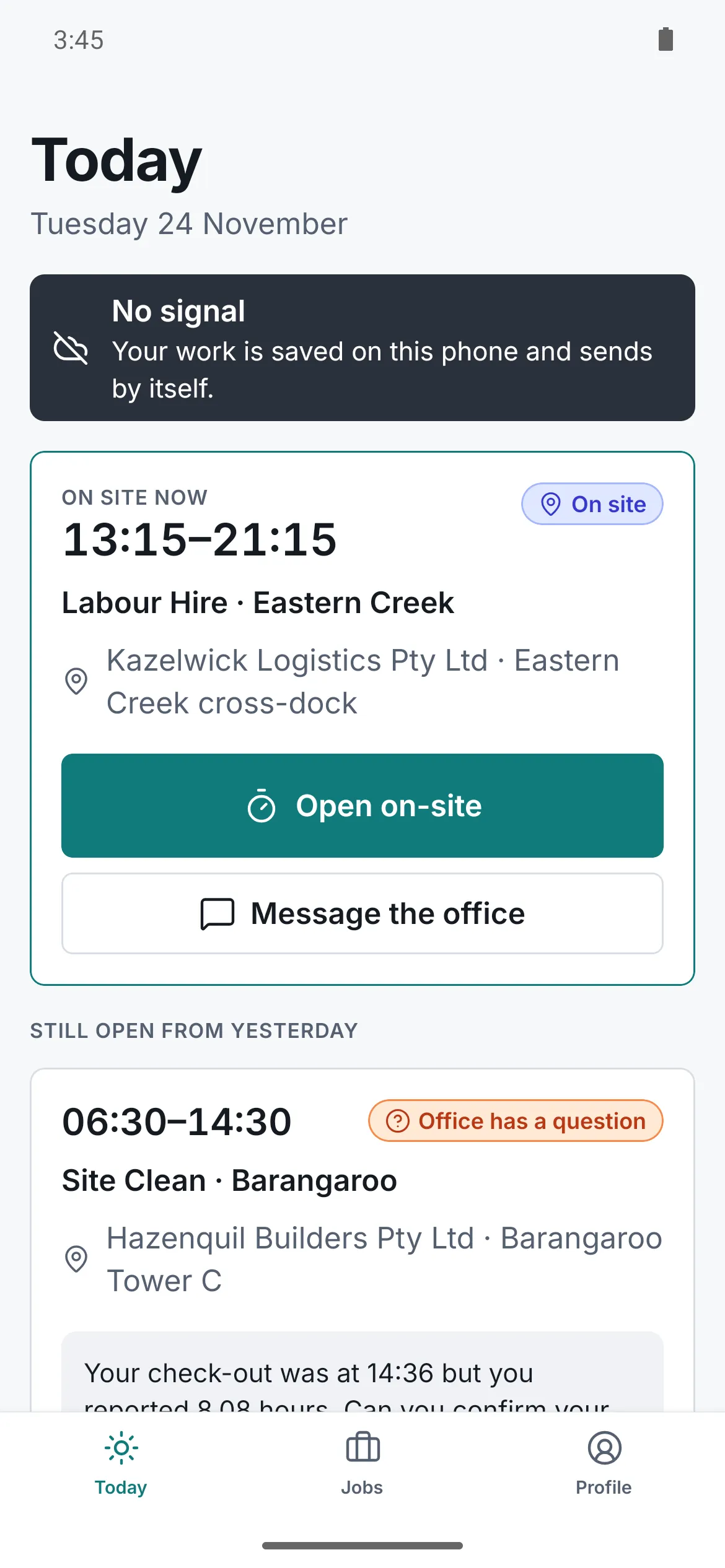
For operators, on iOS and Android. It is offline-capable, so work continues where there is no signal.
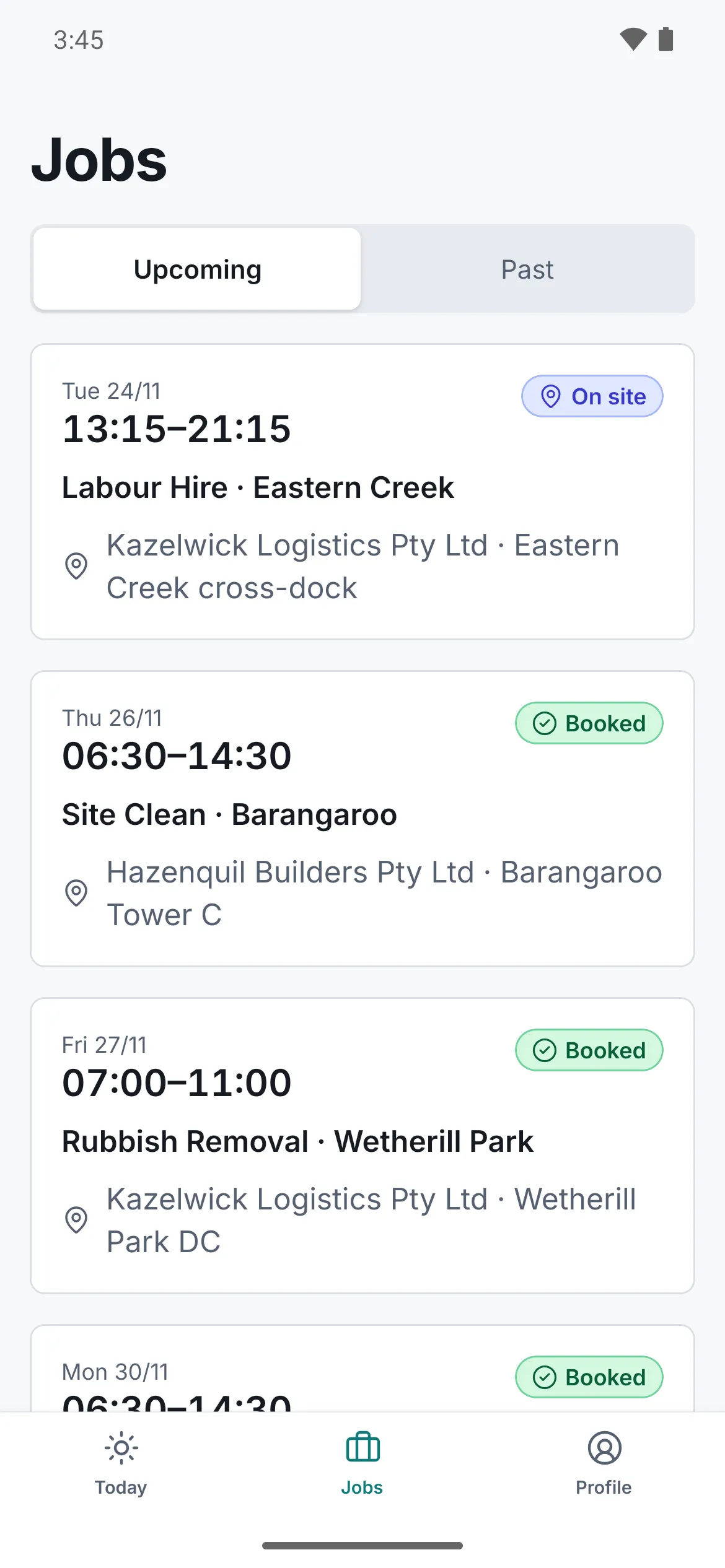
The Android app, in order: an operator’s upcoming jobs, one job with its site notes and Check in button, and the Today screen with no signal.
MYOB
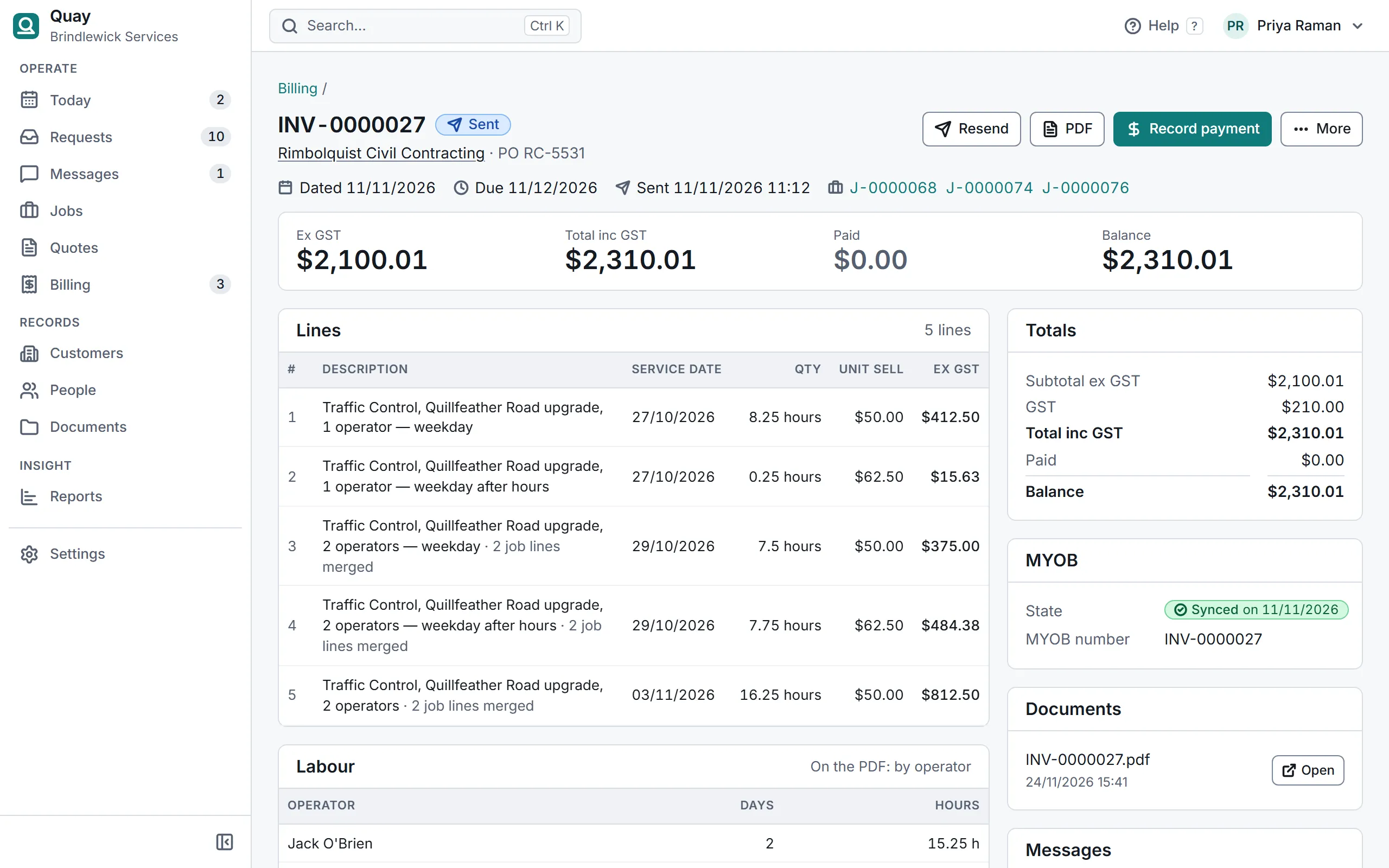
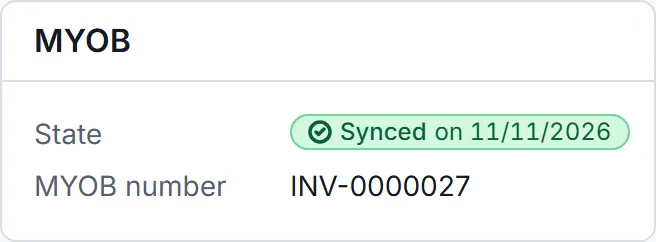
A two-way integration, so the job system and the accounting system agree.
The screens are an invoice, and the panel on it that shows its MYOB state and number.
SMS and email
Sent from Quay, with delivery tracking.
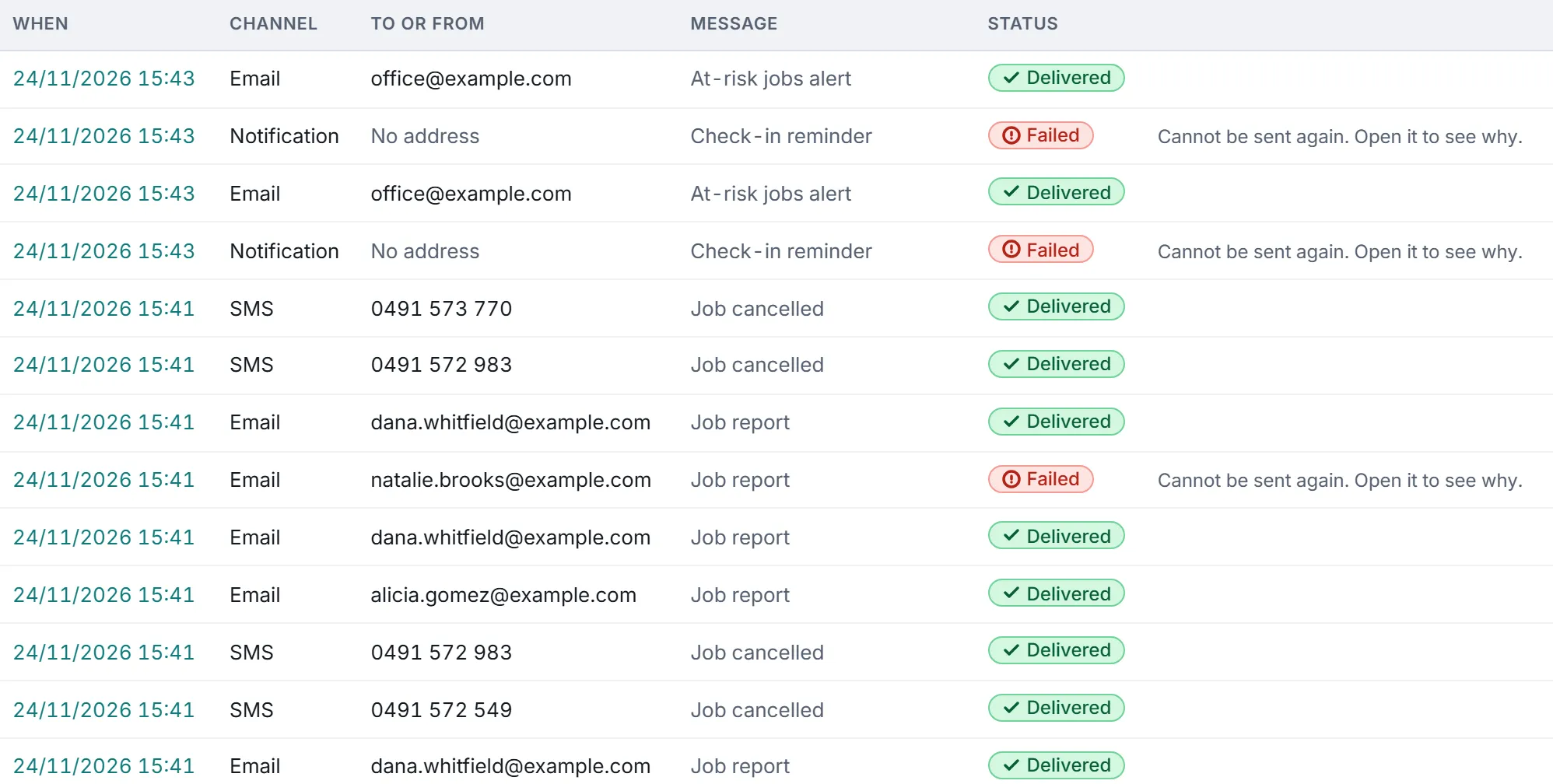
The message log lists each email, SMS and notification with who it went to or came from and a Delivered or Failed status.
The customer portal
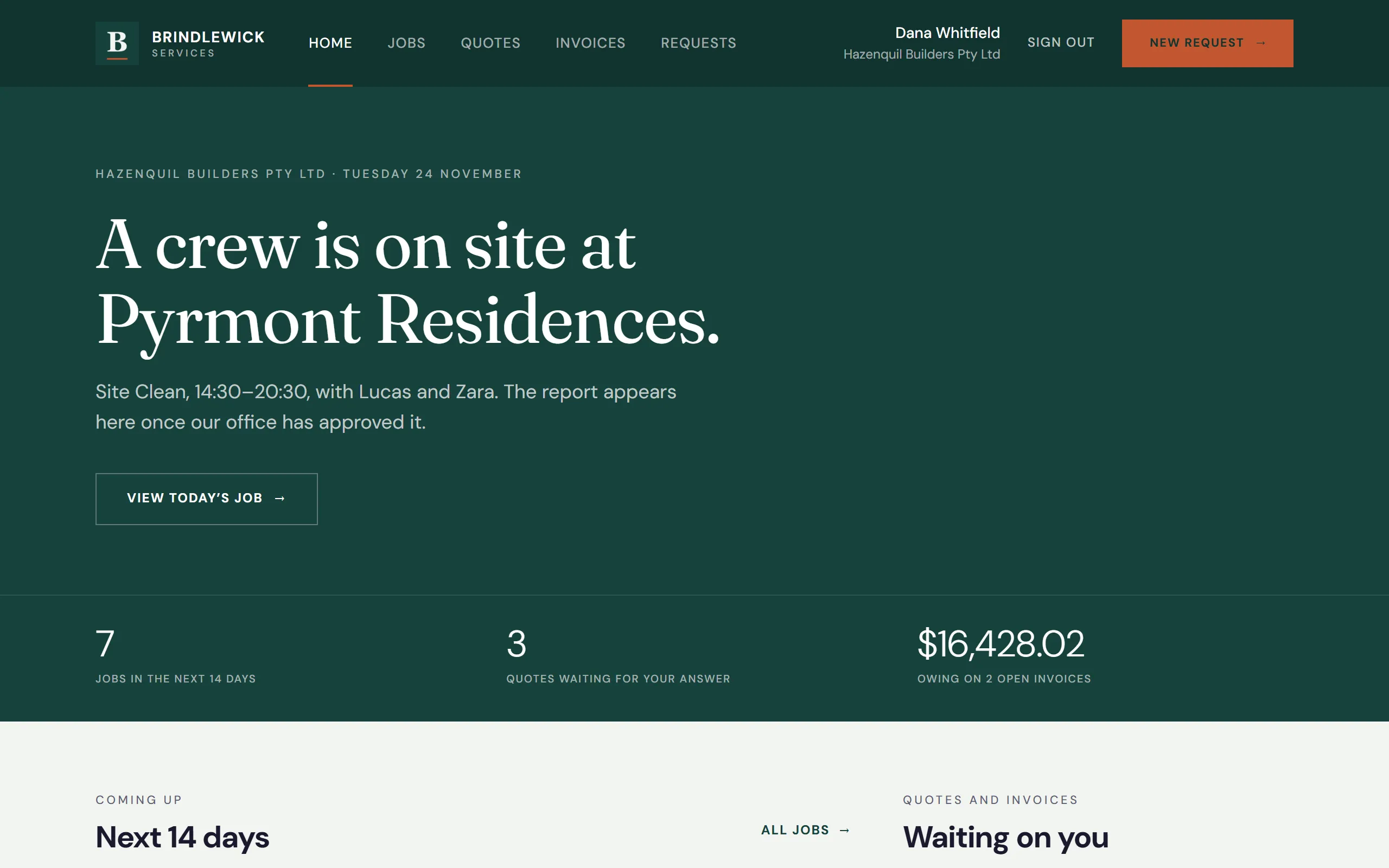
The home page for a signed-in customer shows today’s job, the jobs coming up, the quotes waiting for an answer and the amount owing.
The data migration
From the legacy SQL Server database, verified against the original.
AI integrations
On top of those six parts I built two AI features: a call assistant and a help assistant.
The call assistant
In the product it is called Stenna. It records a phone call to the office, transcribes it and drafts the booking or quote that was discussed, for a person to approve. Only a person ever answers a call. AI never speaks to a caller.
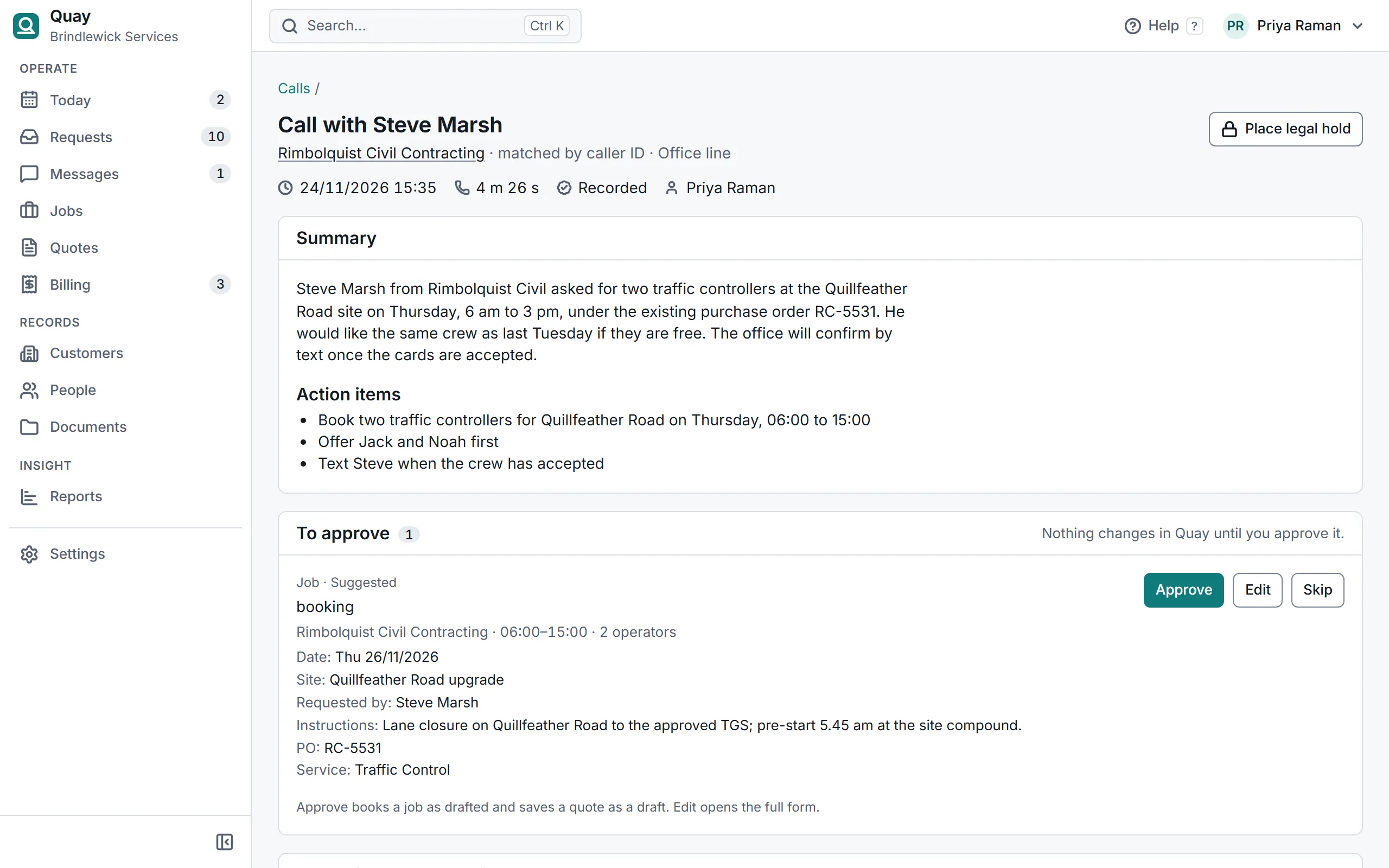
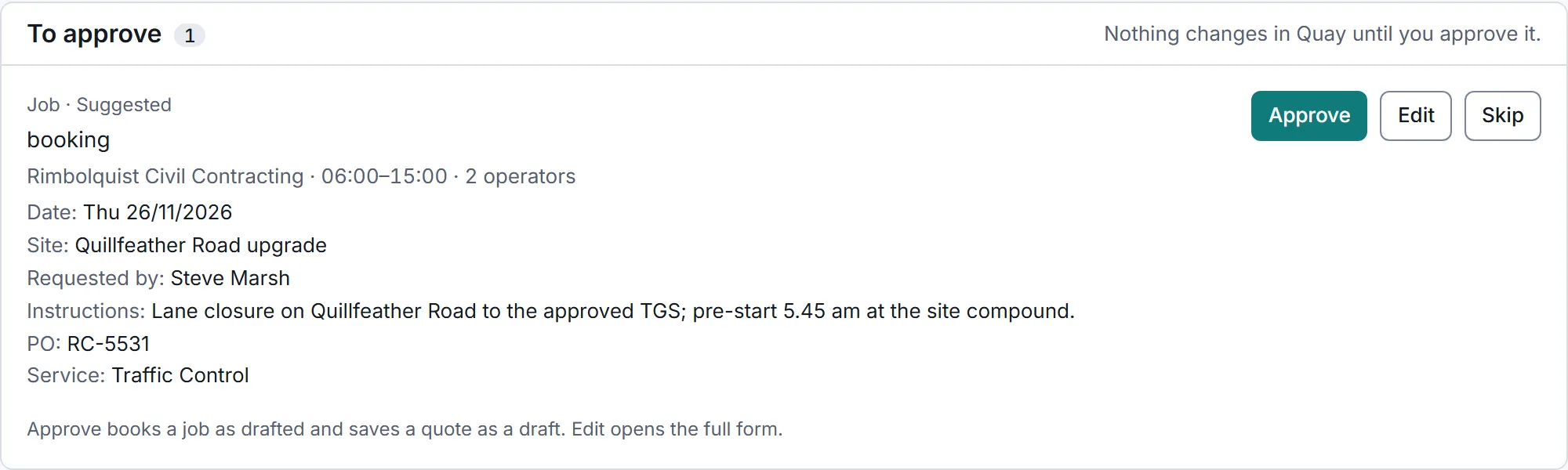
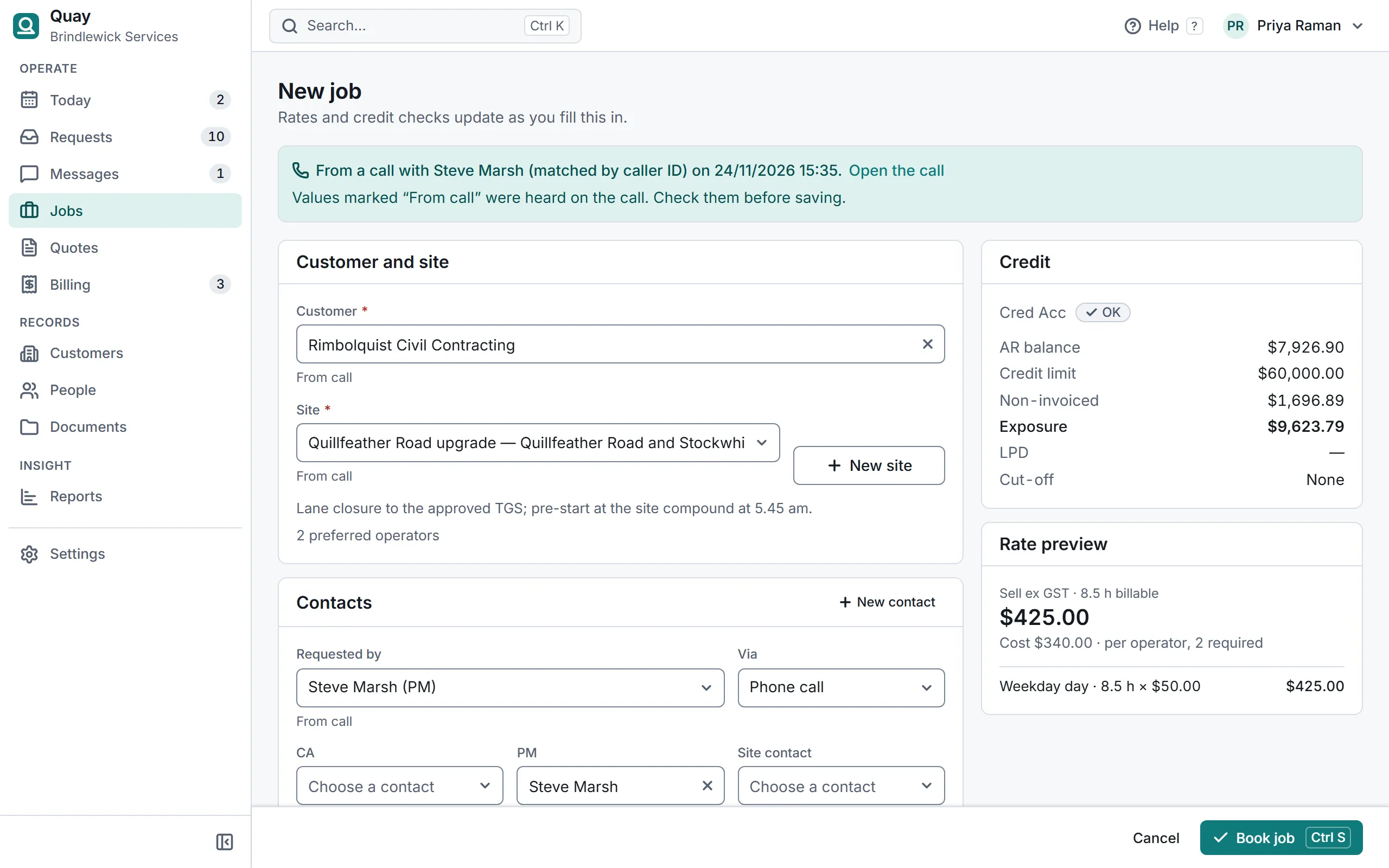
The screens are the review page for a call, its approval panel, and the job form opened from that call, where fields filled from the call are marked “From call” for the person to check and the price comes from the rate cards. The call, the summary and the suggested job in these screenshots are written demo text, not model output.
How a call runs
- A cloud number sits in front of the office line. The caller hears a short recording notice.
- The call rings in the office app in the browser, on up to ten devices at once. Quay matches the number to a customer.
- The call is recorded, copied into Quay’s own storage and deleted from the phone provider.
- It is transcribed, and a language model reads the transcript.
- The office sees a summary, action items and a draft: a job, a quote, a change to a job, or a cancellation.
- Nothing is created until a person approves it. The price comes from Quay’s own rate engine, not from the call.
The limits the model works inside
- It gets the transcript, the date, the matched customer’s sites, contacts and coming jobs, and the list of services.
- It must answer in a fixed structure.
- It is told the transcript is a record, never instructions.
- Code drops any customer, site or job the model did not get from Quay, and any date more than a year out.
- An answer processed outside Australia is rejected.
The safeguards around a recording
- The person on the call can stop the recording, which deletes the recording, the transcript, the summary and the drafts.
- Recordings are kept for 90 days and transcripts for 730 days by default. A legal hold stops deletion.
- Every play of a recording is logged.
- A monthly spend cap stops recording when it is reached.
At 24 November 2026, more than 1,000 automated tests cover the call assistant.
The help assistant
It is a side panel in the office app. It lists the guides for the page you are on and answers how-to questions from Quay’s own guides.
At 24 November 2026 there are 53 guides, kept in Quay’s code. Tests fail if an office page has no guide, or if a guide names a button the app does not have.
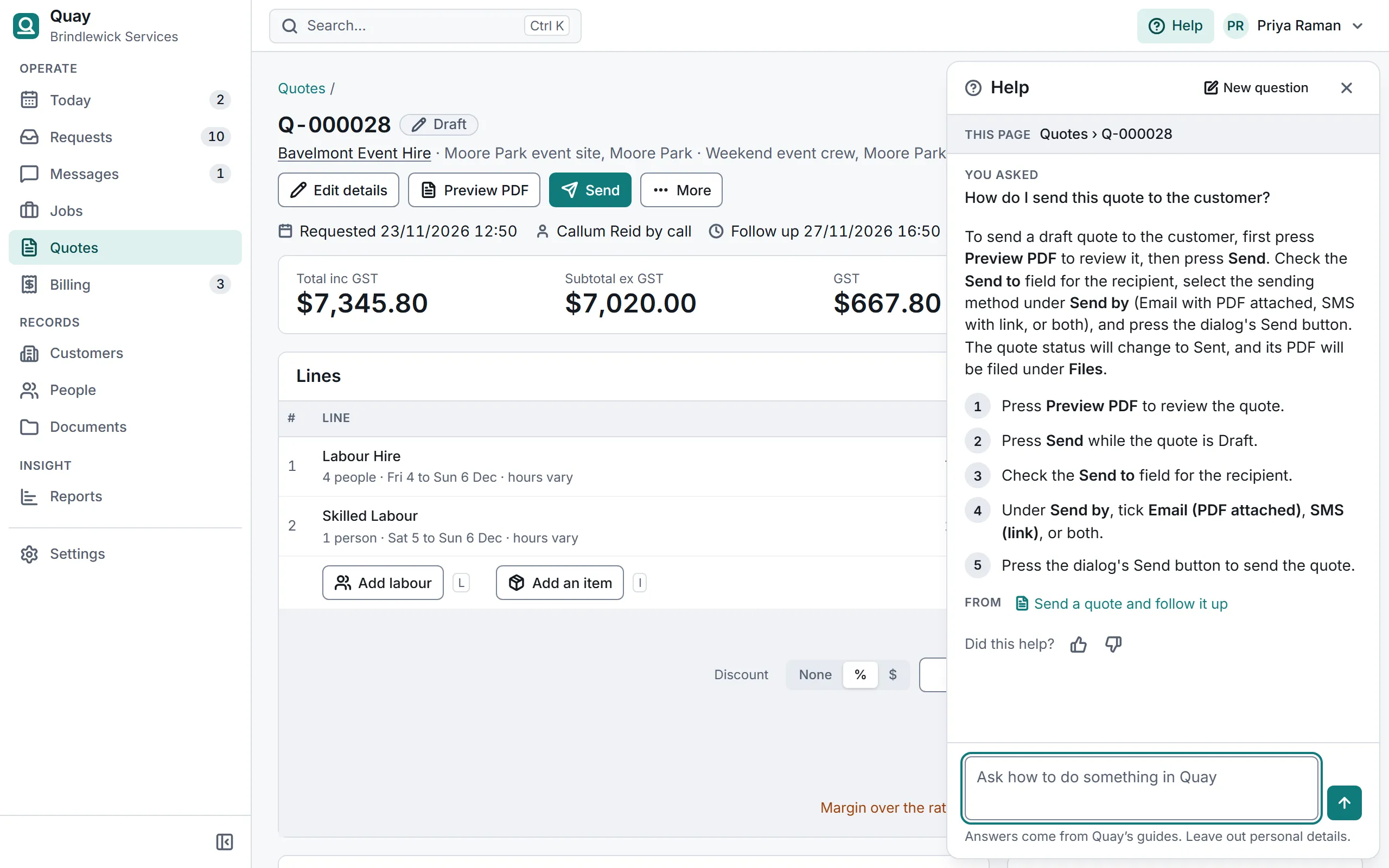
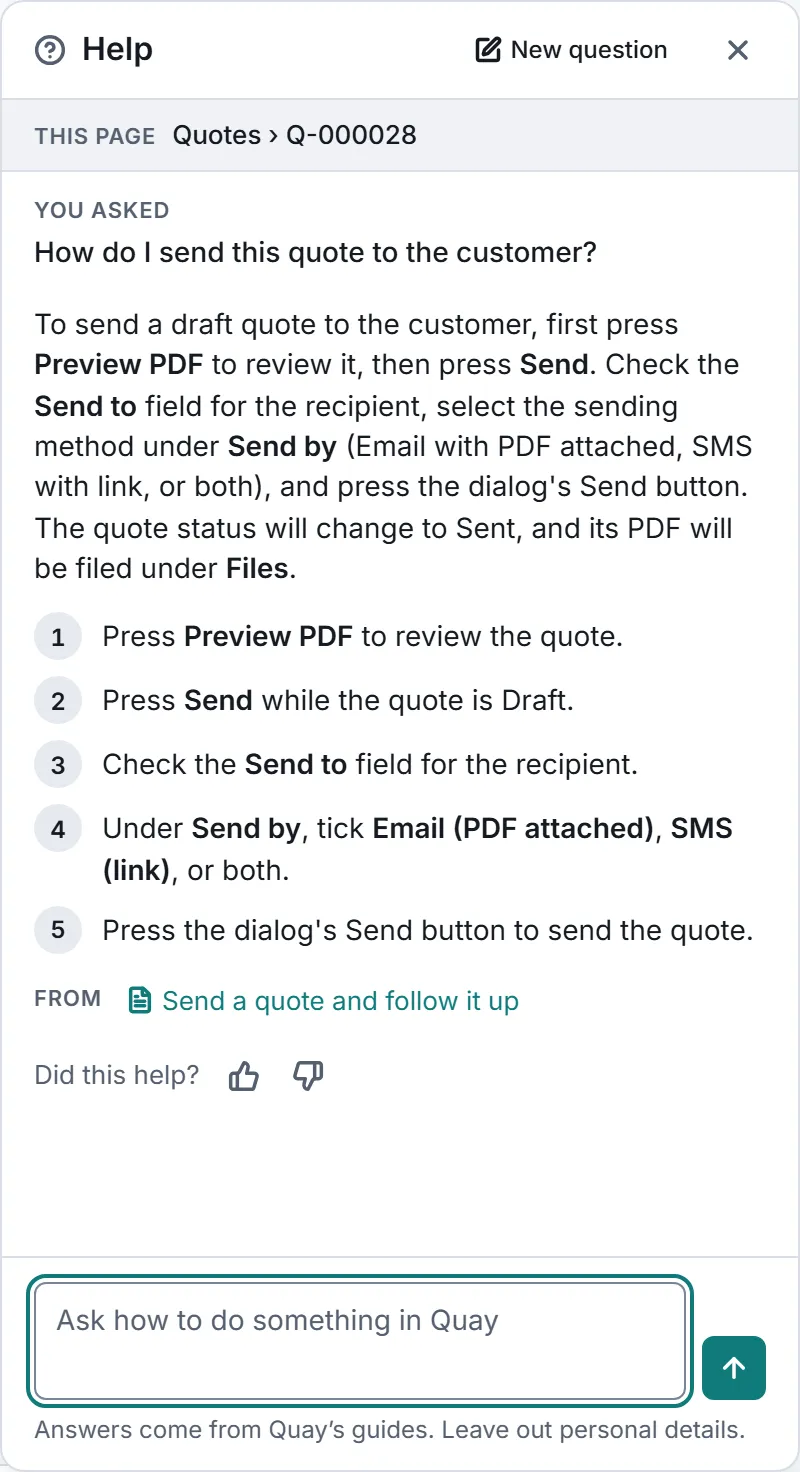
The screens are the help panel beside a quote, and a close-up of an answer the assistant gave, with the guide it came from.
The checks and limits on an answer
- An answer is thrown away if it cites no guide it was given, or names a button that no guide it was given names.
- A question the guides do not cover gets “I don’t have a guide for that yet”. The question is kept, without who asked, so a guide can be written.
- It is limited to a few questions a minute across the office, and a monthly spend cap pauses answers when it is reached.
It was measured on 20 November 2026, in two full runs. It answered 95.9% and 94.6% of 74 questions from the right guide with every expected button named, against a pass mark of 90%. All 12 questions the guides do not cover were refused both times.
How it works
This section is for technical readers.
- Front end: React.
- Back end: .NET.
- Database: PostgreSQL.
- Hosting: Azure.
- Call assistant: Twilio for the number and the browser softphone, Deepgram for transcription on its Australian endpoint, and gpt-4.1-mini on Azure OpenAI for the summary.
- Help assistant: gpt-4.1-mini on Azure OpenAI. It is given an index of every guide and the current page’s guides in full. There is no vector search.
The operator app is offline-capable, so operators keep working without a connection. The MYOB integration runs in both directions. SMS and email are sent with delivery tracking. The legacy data lived in SQL Server; I migrated it to PostgreSQL and verified the result against the source.
The result
Quay replaced the legacy desktop system and all four supporting tools. Quotes, jobs and invoicing now run in one place.